Taxi Getaway Mobile & Touch Driving
Thumb-friendly habits for fares and getaways—plus graphics tweaks and when a keyboard session helps.
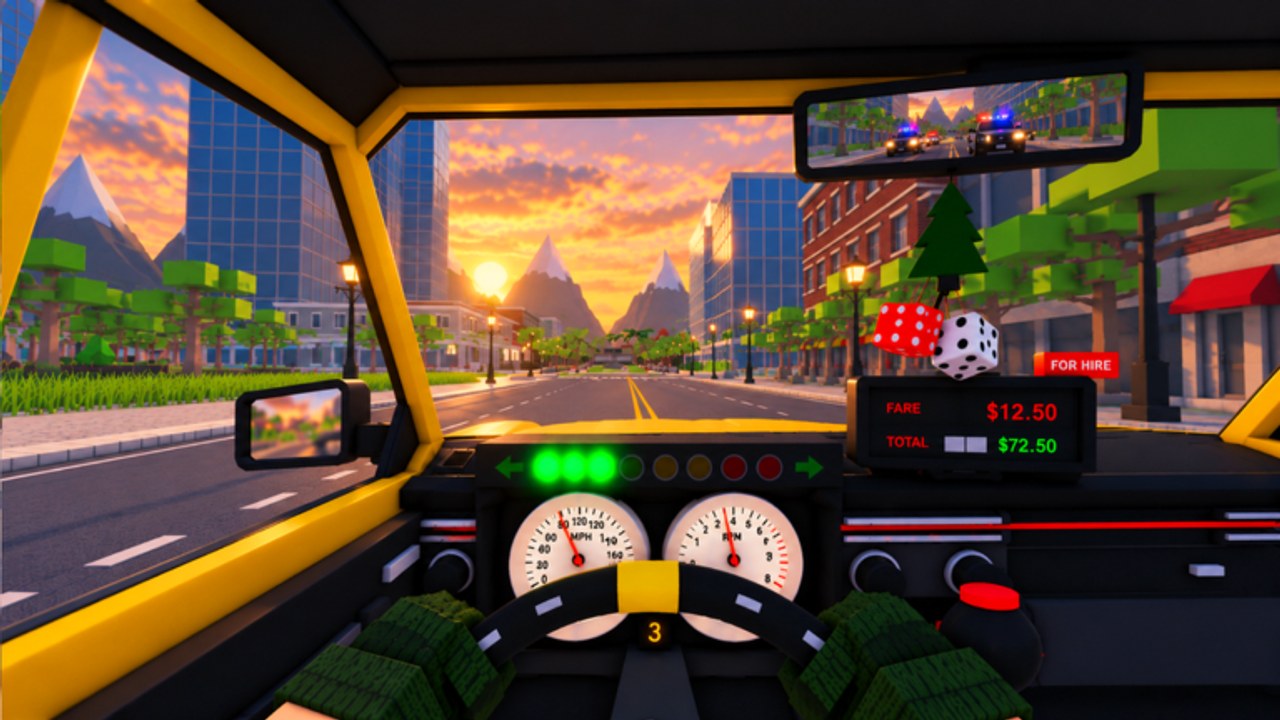
Plenty of Taxi Getaway sessions happen on a phone. Garage Games’ Roblox vehicle sim—live since 28 October 2026, still humming after the 18 November 2026 update window with ~1M+ visits—asks for precise braking during robber escapes and calm steering during ordinary fares. Touch screens can absolutely finish double-pay drops in six-player servers; they just punish fat-finger panic harder than a keyboard.
This guide covers mobile and touch habits for chases and fares, UI thumb reach, graphics settings that keep frame time stable, and honest criteria for switching to PC. Pair it with Controls, Beginner tips, and Escape police. Map corridors that reduce required precision live in Map and routes.
Touch driving priorities
On mobile, smooth inputs beat stylish slides. The starter sedan already punishes late braking; a supercar multiplies every overcorrection. Build this order of operations:
- Throttle discipline — Ease out of alleys; do not pin 100% while the nose is still rotating.
- Brake before the visual apex — Touch latency plus camera FOV means you should slow earlier than your eyes suggest.
- Short steer taps — Hold-steering into a wall is how getaways die. Tap, correct, tap.
- Handbrake as punctuation — Useful for ninety-degree snaps taught in the controls guide; deadly as a lifestyle on glass screens.
- Eyes forward — Peek the minimap or rear threat, then look at the road. Staring at pursuers while thumbs drift is a classic mobile fail.
Normal fares are your training ground. Complete three clean drop-offs before you invite robber heat. That matches the onboarding mindset in Getting Started.
Fares on a phone
Pull up square to the curb so the passenger enter prompt does not fight your steer widget. After boarding, set a comfortable camera that shows two car lengths ahead—not a cinematic bumper cam that hides turn-ins. Use side streets intentionally even on safe jobs so your thumbs learn the corridors you will need later.
When traffic from other players appears (remember the ~six player cap), leave extra following distance. Touch players who draft bumpers panic-brake into pileups that PC players sometimes thread.
Chases and robber heat on touch
Read Robber fares for accept/abort rules, then apply mobile-specific constraints:
- Pre-pick the entry turn before the robber boards. You will not have time to invent one while sirens bloom and thumbs miss the brake.
- Prefer maze corridors over speed corridors. Alleys reduce the need for perfect high-speed micro-steering.
- Abort earlier than you would on PC if a hard wreck leaves you sideways—recovering a spin with two thumbs is slower.
- Avoid same-block loops. They demand constant precision inputs under stress; change districts instead.
If player cops in police mode are hunting, fake a wide turn with deliberate taps, then commit to the opposite alley. Do not scribble the steer stick in circles; that bleeds speed without breaking vision.
UI thumb reach and HUD hygiene
Sit so both thumbs naturally rest on drive controls without stretching across the entire glass. Practical habits:
- Move or learn the positions of codes/shop/goals buttons so you never open the wrong menu mid-chase (and remember: no working codes yet—see How to redeem).
- Clear overlapping popups before you accept a risky fare.
- Keep daily goal glances for red lights or post-drop moments, not mid-alley.
- If chat covers a control cluster, collapse it before heat starts.
Small screens amplify mis-taps into garage or emote menus. One accidental menu during max heat ends more mobile getaways than AI aim.
Graphics and performance settings
Stable frame time matters more than pretty underglow reflections while you are learning escapes:
- Lower graphics quality until steering feels consistent through downtown density.
- Disable expensive shadows/post-effects if your device thermal-throttles after ten minutes.
- Close background video apps that steal bandwidth or CPU.
- Prefer landscape orientation with a stable grip; portrait play usually shrinks your usable steer arc.
- Watch device temperature—heat throttling turns a mid-ladder cab into a mushy brick mid-chase.
Cosmetic crates still look fine on medium settings. Do not raise quality just to admire a rim while robber accept rates suffer.
Session structure for mobile mains
A sane phone session:
- Graphics sanity check (30 seconds).
- Two clean fares for thumb warm-up.
- One selective robber with a memorized entry corridor.
- One daily or short race if the board pays—see Street races.
- Optional short police patrol to scout cut-offs.
- Garage decision toward the next tier list unlock before crates.
Stop while you are still precise. Mobile tilt plus warm glass equals wall kisses.
When to switch to PC (or a controller on a bigger screen)
Switch platforms when:
- You repeatedly fail robber exits you can describe verbally but cannot thumb-execute.
- You are deciding expensive garage unlocks and want cleaner handling reads.
- Street race braking points feel impossible because of input latency, not car choice.
- You want to main police cut-offs that require fine steer modulation.
You do not need PC to enjoy Taxi Getaway. You need PC (or gamepad) when your goals outrun your touch ceiling for a night. Many players keep phones for fare volume and park serious getaway practice on keyboard sessions using the same Escape police route plan.
Accessibility-minded tips
- Larger phones or light grips reduce mutual thumb interference.
- If reach is an issue, favor cabs with more forgiving mid-ladder handling over raw supercars.
- Take breaks; touch accuracy falls faster than players notice.
- Recheck controls after client updates—the November 2026 snapshot reminds players to re-verify handling after place timestamps move.
What mobile cannot fix
Touch settings will not create promo codes or safe scripts. As of 19 November 2026 this wiki still confirms no working codes and no verified scripts. Skill pages beat pastebins: Beginner tips, Players Hub, Guides Hub.
Related reading
- Controls — platform input habits
- Beginner tips — week-one playbook
- Escape police — chase structure
- Robber fares — accept and abort rules
- Map and routes — corridors that reduce precision demand
- Make money fast — earn order while you practice
Drive with thumbs that stay calm. The city is the same on mobile—the inputs are just less forgiving when you panic.
Frequently Asked Questions
Quick answers for Taxi Getaway drivers and chasers.
Can I play Taxi Getaway well on mobile?
Yes. Prioritize smooth throttle and early braking, learn alley corridors, and take selective robber fares. Many players clear double-pay drops on touch with practice.
What graphics settings help chases on a phone?
Lower quality until frame time stays stable, reduce heavy effects if the device thermal-throttles, use landscape, and close background apps.
Should mobile players take every robber fare?
No. Pre-pick entry turns, prefer maze routes over long straights, and abort earlier after hard wrecks because spin recovery is slower on touch.
When should I switch to PC?
When your goals need finer steering than touch delivers—expensive unlock decisions, precise race braking, or advanced police cut-offs are common triggers.
Do mobile players need codes or scripts?
No. No working codes and no verified scripts are confirmed as of mid-November 2026. Focus on controls, routes, and cab choice instead.